AFGTracker · Payments received
Money in, on the record
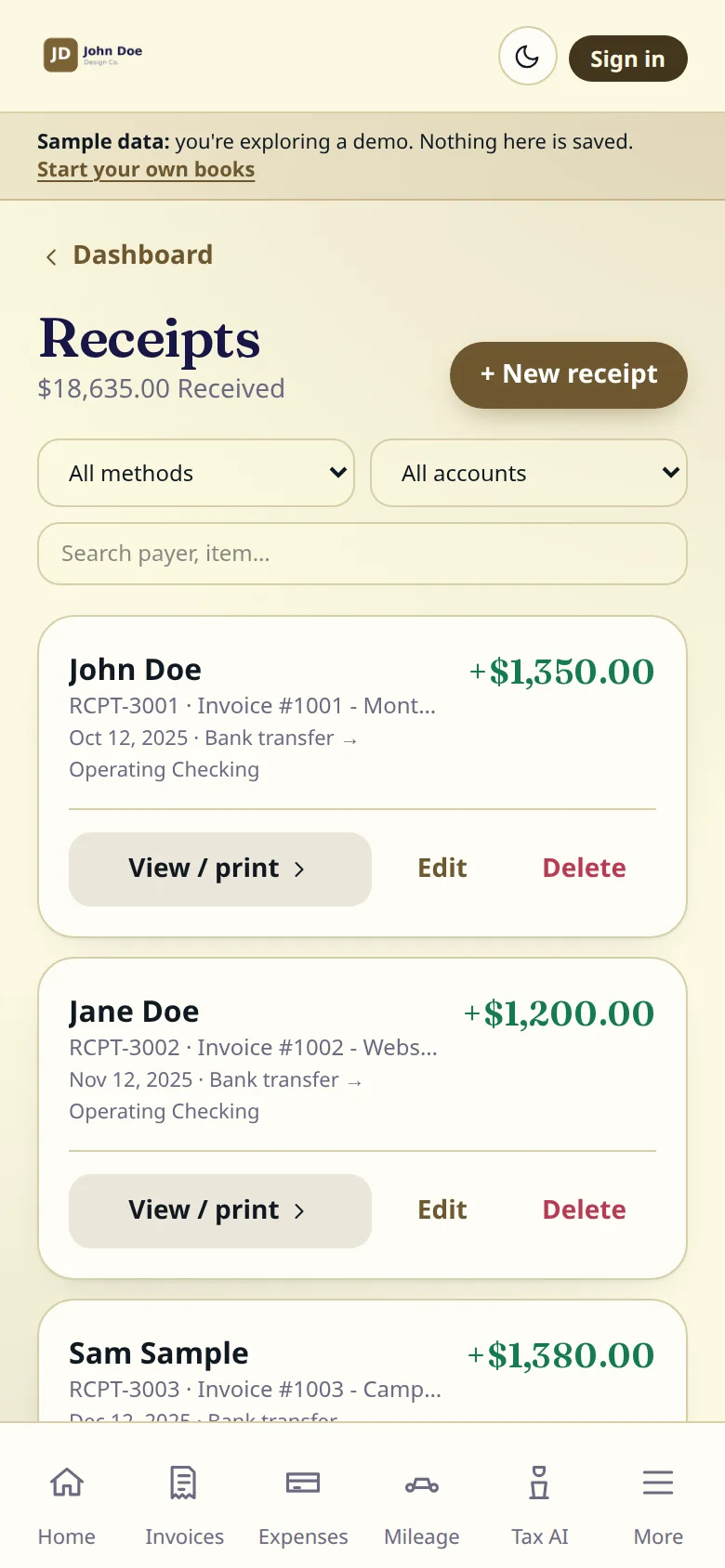
Cash sales, checks, transfers and tips are income too. Record each one with who paid, how, and which account it went into, and print a numbered receipt for the payer.
Recording receipts is on every plan. Scanning a paper receipt to fill in the details is on Pro.
What it does
- Who paid, what it was for, the amount, the method and the date.
- Which account it was deposited to.
- Itemized receipts with quantity and rate, when you need them.
- A numbered receipt (RCPT-…) to print or save as a PDF.
- Attach a photo of the paper receipt (PNG, JPG or WebP, up to 5 MB).
- Recording a payment for an invoice marks that invoice paid.
- On Pro, scan a paper receipt and the details fill in from the photo.
How it works
01
Record the payment
Payer, amount, method and the account it went into.
02
Attach the evidence
A photo of the paper receipt stays with the record.
03
Print or share
Give the payer a numbered receipt; your books already have it.
Questions
Is this for receipts I get or receipts I give?
Receipts you give: money you received. Money you spend goes in Expenses.
Does it read the photo?
On Pro, yes: scan a paper receipt and the fields it can read are filled in. You can always type them.
Can I link a payment to an invoice?
Yes. Record the payment from the invoice and it is marked paid, with the receipt number beside it.
More of the app
Free tools
- Free invoice generatorA PDF invoice with items, tax and a deposit
- Self-employment tax calculator2026, step by step, from your net profit
- IRS mileage ratesEvery rate since 2018, and a trip calculator
- Mileage log templatePrintable, or a CSV for your spreadsheet
- Quarterly tax deadlines2026 estimated tax dates, with a calendar file
- 1099 threshold 2026$600 became $2,000; the income still counts
AFGTracker is a product of Arqam Financial Group. General information, not tax or legal advice.