AFGTracker · Mileage log
A mileage log that knows the rate changed
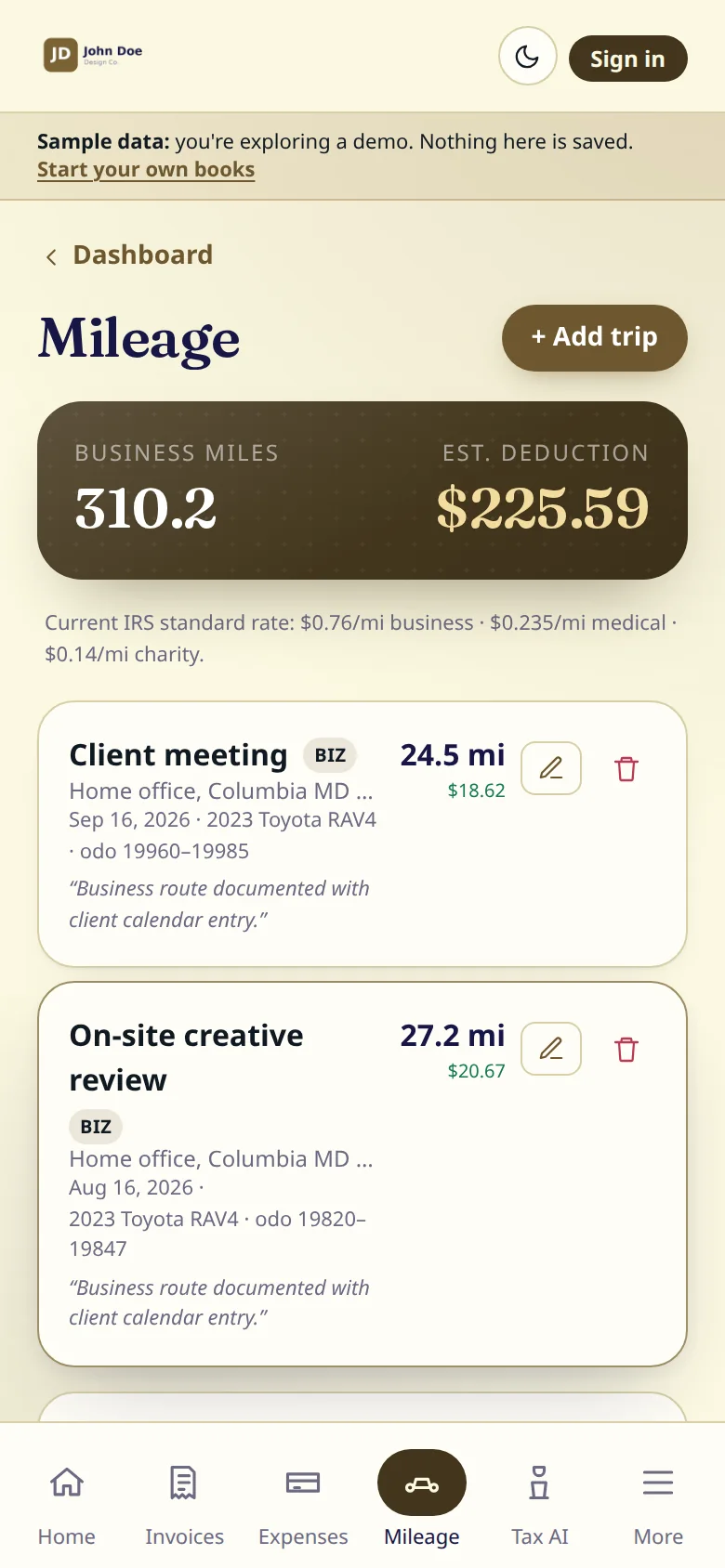
In 2026 the IRS business rate was 72.5¢ a mile until June 30 and 76¢ from July 1. AFGTracker values every trip at the rate for the day you drove it.
Mileage logging is on every plan, including Free.
What it does
- Start, destination and stops along the way, with a reason for each stop.
- Driving distance calculated from the addresses; you can edit it.
- Round trips double the saved distance.
- Odometer start and end, and the vehicle used.
- The business purpose on every trip, as the IRS expects.
- Each trip valued at the IRS standard rate in force on its date.
- A route map and a printable record for each trip.
How it works
01
Enter where you went
Type the start and destination, add stops if there were any.
02
Check the miles
The driving distance fills in. Change it if you took a different road.
03
Say why it was business
One line of purpose. The date sets the rate.
Questions
Which rate does it use?
The IRS standard mileage rate for the date of the trip. See every rate since 2018 on our IRS mileage rates page.
Does it track my location automatically?
No. You enter trips yourself, so nothing tracks where you go.
What does a mileage log need?
For each trip: the date, where you went, the business purpose and the miles. AFGTracker asks for all four.
More of the app
Free tools
- Free invoice generatorA PDF invoice with items, tax and a deposit
- Self-employment tax calculator2026, step by step, from your net profit
- IRS mileage ratesEvery rate since 2018, and a trip calculator
- Mileage log templatePrintable, or a CSV for your spreadsheet
- Quarterly tax deadlines2026 estimated tax dates, with a calendar file
- 1099 threshold 2026$600 became $2,000; the income still counts
AFGTracker is a product of Arqam Financial Group. General information, not tax or legal advice.