AFGTracker · Expense tracking
Every expense, with the reason it was business
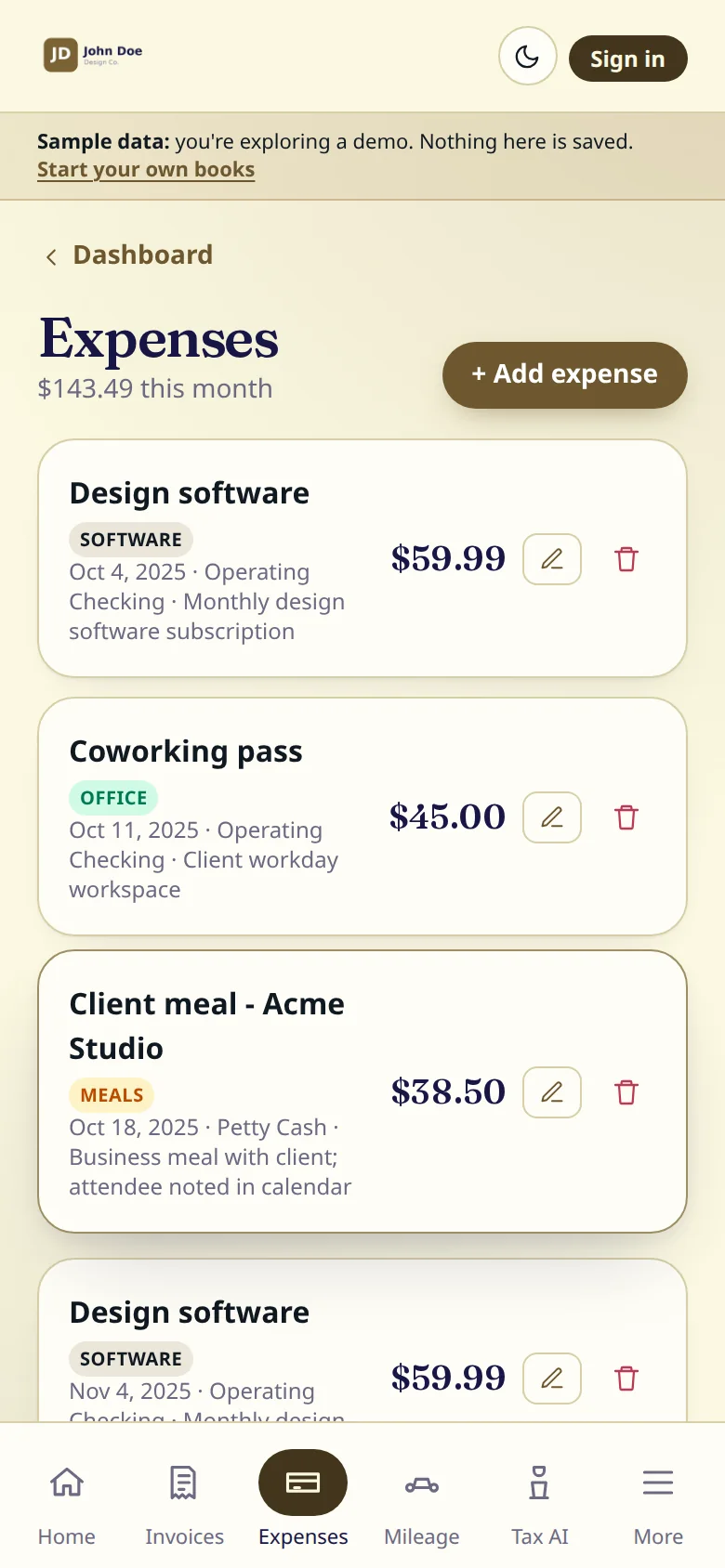
Merchant, amount, category, date, and the account it came out of. Add a note while you still remember why, because that is the part your accountant asks about.
Free: 10 expenses a month. Pro: unlimited, plus vendors with 1099 prep and spreadsheet export.
What it does
- Merchant, amount, category and date on every entry.
- The account or card it was paid from, so the books match the bank.
- Recurring expenses: weekly, monthly or yearly.
- A note on each entry for the business reason.
- A printable record of any single expense.
- Totals for the month at the top of the list.
How it works
01
Log it when you pay
Merchant, amount and category take a few seconds on a phone.
02
Say why
One line of note: who the meal was with, what the software is for.
03
See it in the reports
Expenses by category and your profit feed the Reports page and the handoff file.
Questions
Which categories are there?
Office, software, travel, meals, marketing, equipment, professional services and other. Pick the closest; your accountant maps them to the tax form.
Can I track a subscription that repeats?
Yes. Set it to repeat weekly, monthly or yearly.
Does it connect to my bank?
No. You enter expenses yourself, which keeps your bank login out of the app.
More of the app
Free tools
- Free invoice generatorA PDF invoice with items, tax and a deposit
- Self-employment tax calculator2026, step by step, from your net profit
- IRS mileage ratesEvery rate since 2018, and a trip calculator
- Mileage log templatePrintable, or a CSV for your spreadsheet
- Quarterly tax deadlines2026 estimated tax dates, with a calendar file
- 1099 threshold 2026$600 became $2,000; the income still counts
AFGTracker is a product of Arqam Financial Group. General information, not tax or legal advice.